duebar puts your next Canvas assignment and a live countdown in your Mac's menu bar. No login. No planner. Paste one link, done.
Everything you owe, in the order it'll hurt.
Click the bar. The next ten things due, colour-coded by how soon. One more click opens any of them in Canvas.
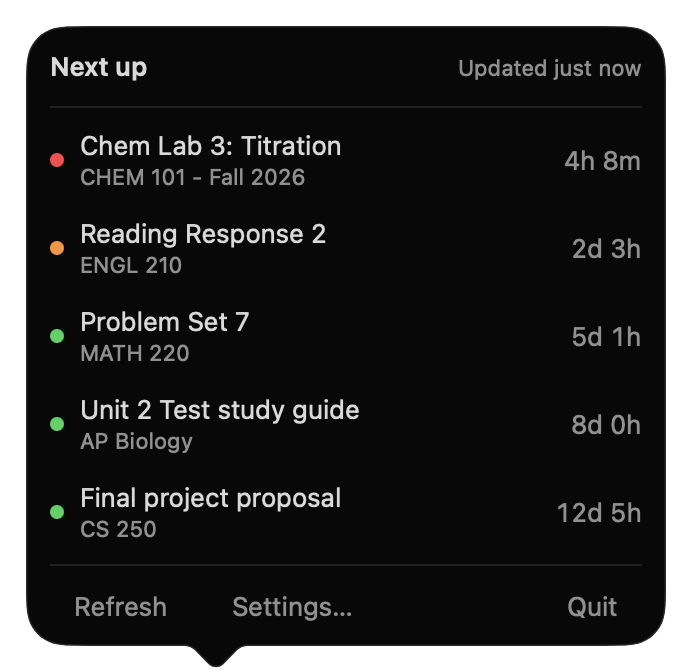
It reads the calendar feed Canvas already gives every student. Nothing to sign into, no permission from your school.
Offline, it keeps the last list it downloaded and tells you how old it is — instead of going blank.
If it can't work out exactly when something is due, it doesn't show it. A wrong deadline is worse than none.
What it doesn't do.
The only network requests it ever makes are to your own calendar link — and to check for a new version when you press the button.
Setup takes about a minute.
Step-by-step with screenshotsOpen Canvas → Calendar
Bottom of the right-hand column: Calendar Feed. Copy the link.
Paste it into duebar
Settings → Feeds → Add. It says "Found 14 upcoming assignments."
That's it.
Your next deadline appears in the menu bar within seconds. Google Classroom? Paste that iCal link instead.
One purchase. Yours to keep. No subscription, no account, no licence key.